

Make your browser work like it used to
No more AI garbage, tracking, browser ads, etc.

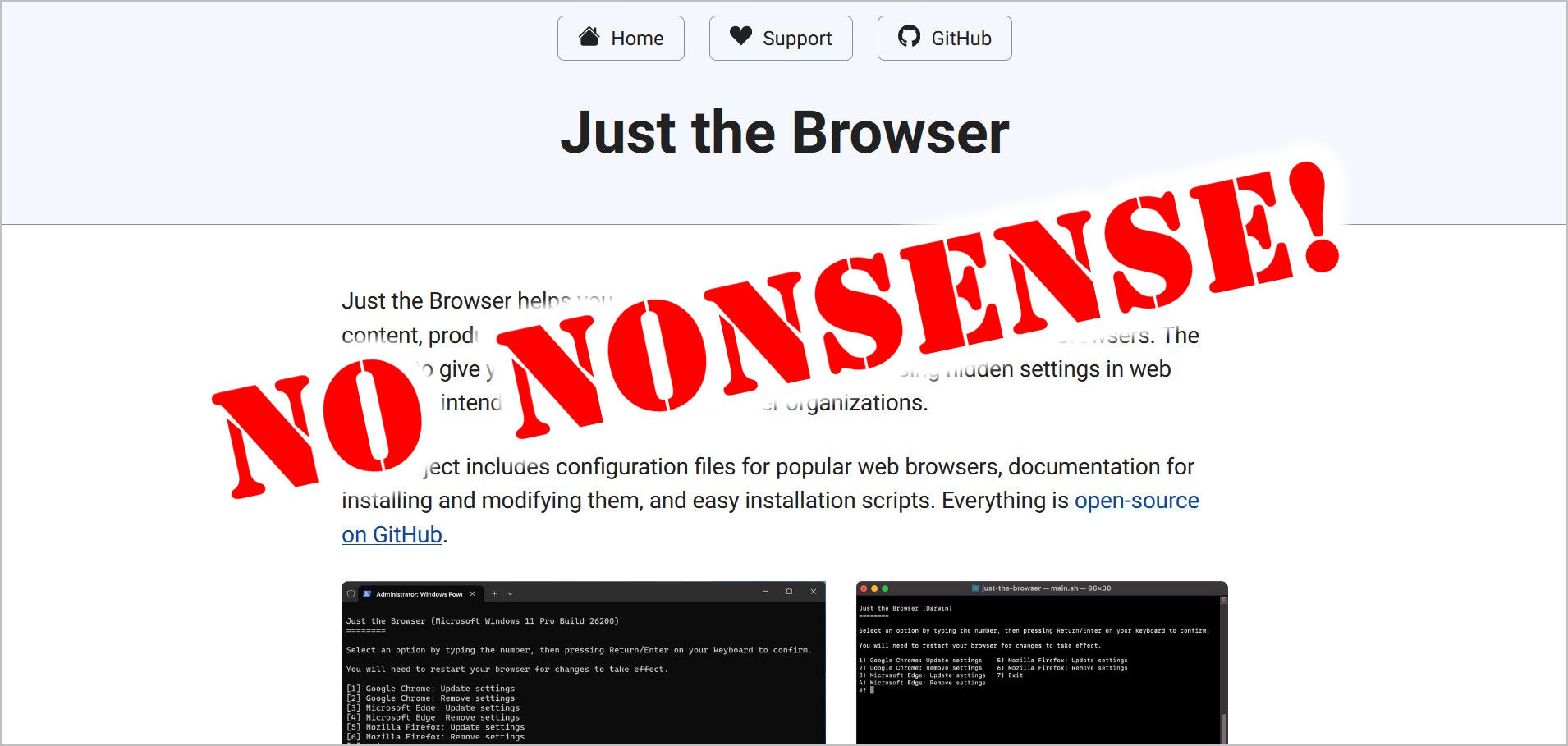
These days, web browsers are no longer just browsers. There’s AI everywhere, ads popping up on the new tab page (and elsewhere), tracking metrics sent back home, and so on.
Wouldn’t it be nice if your browser was just, well, a simple WEB BROWSER again??
Fortunately, a guy by the name of Corbin Davenport has saved us all.
Behold: Just the Browser!
What is it?
Just the Browser is a simple script (for Windows, Linux, and Mac) that uses group policy settings (or their rough equivalent) to disable certain browser features, like all that irritating AI.
As Davenport notes:
Just the Browser helps you remove AI features, telemetry data reporting, sponsored content, product integrations, and other annoyances from desktop web browsers. It accomplishes this with group policy configurations—hidden settings provided by Google, Mozilla, and Microsoft for businesses and other large organizations. Those options are how IT departments can lock down certain features for computers at work or school, but now they can be a force for good.
You know that “AI kill switch” that Firefox will eventually add? It’s already a hidden setting that Just the Browser can enable for you. It will also turn off all Gemini and AI Mode features in Chrome. In Microsoft Edge, it turns off all Copilot features, advertisements for Adobe Reader, articles and ads on the New Tab page, automatic data import from other browsers, and much more.
No extensions to install. Browser updates also won’t affect the disabled “features”. You just set it, and forget it - and occasionally update Just the Browser. More on that below...
Currently, this is the list of things Just the Browser disables for you:
Most AI features: Features that use generative AI models, either on-device or in the cloud, like Copilot in Microsoft Edge or tab group suggestions in Firefox. The main exception is page translation in Firefox.
Shopping features: Price tracking, coupon codes, loan integrations, etc.
Sponsored or third-party content: Suggested articles on the New Tab Page, sponsored site suggestions, etc.
Default browser reminders: Pop-ups or other prompts that ask you to change the default web browser.
First-run experiences and data import prompts: Browser welcome screens and their related prompts to import data automatically from other web browsers.
Telemetry: Data collection by web browsers. Crash reporting is left enabled if the browser (such as Firefox) supports it as a separate option.
Startup boost: Features that allow web browsers to start with the operating system without explicit permission.
To see exactly what the script does, see the list of changes on the page for each browser: Chrome, Firefox, and Edge.
How to use it
It’s pretty simple: You just run a script hosted on Github.
Before you freak out about running a PowerShell script as admin on Windows, there is a simple solution: Go look at the script on github!
It’s all open source, and sure enough, the scripts do what they claim. I checked, of course.
The instructions are quite simple. Open PowerShell as an administrator:
Click start/Windows button
Type: Powershell
For PowerShell, click Run as administrator
Paste and run the following:
[code]
& ([scriptblock]::Create((irm “https://raw.githubusercontent.com/corbindavenport/just-the-browser/main/main.ps1”)))
[/code]
You should see the following screen:
The script works for Chrome, Edge, and Firefox. For each browser, type the number before it and press enter.
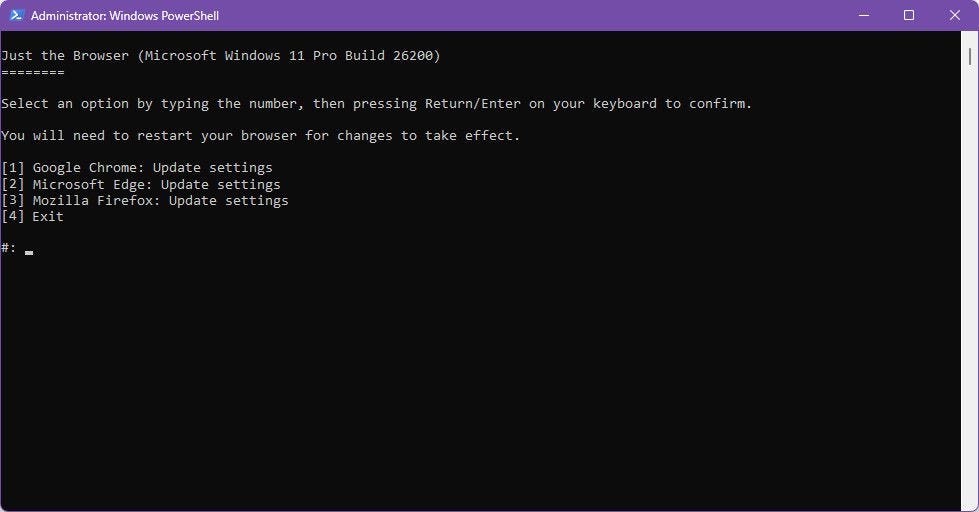
You’ll see this:
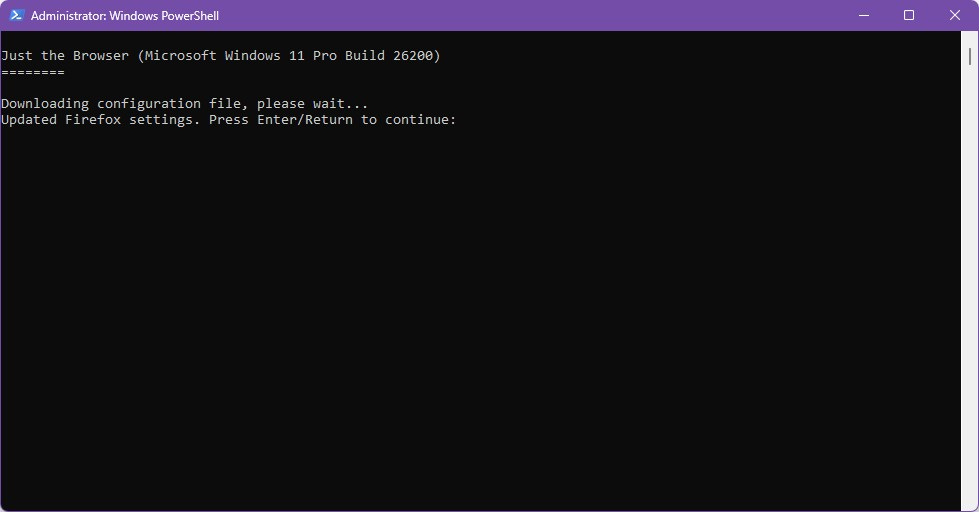
Press enter to get back to the main screen. Repeat for the other browser(s) you have installed.
That’s it!
If you run the script again, you’ll see this:
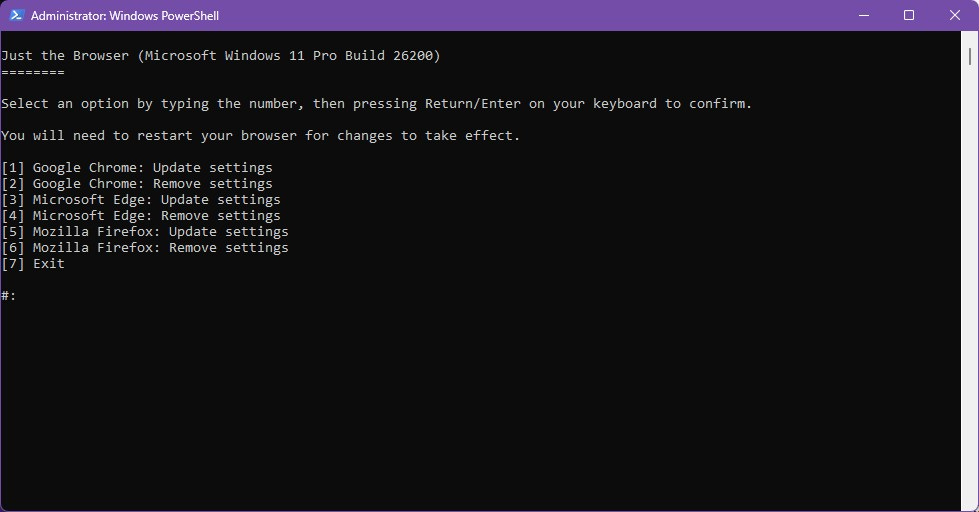
In the future, you can update the “fixes” for each browser by simply running it again.
Or, you can use the script to remove the modifications to group policy settings.
In any case, the only thing left is to restart each open browser, et voila! You’re done.
How do I know when to update it?
Good question! At the moment, the only way I know is to simply subscribe to notifications on the Just the Browser github page. That’s what I did!
If that’s too much hassle, just bookmark this page, which also has the script to run + other handy information, and rerun the script once a month or something.
So, there you have it: No more nonsense - just the browser!